Examples
Real drawings, straight from the add-in
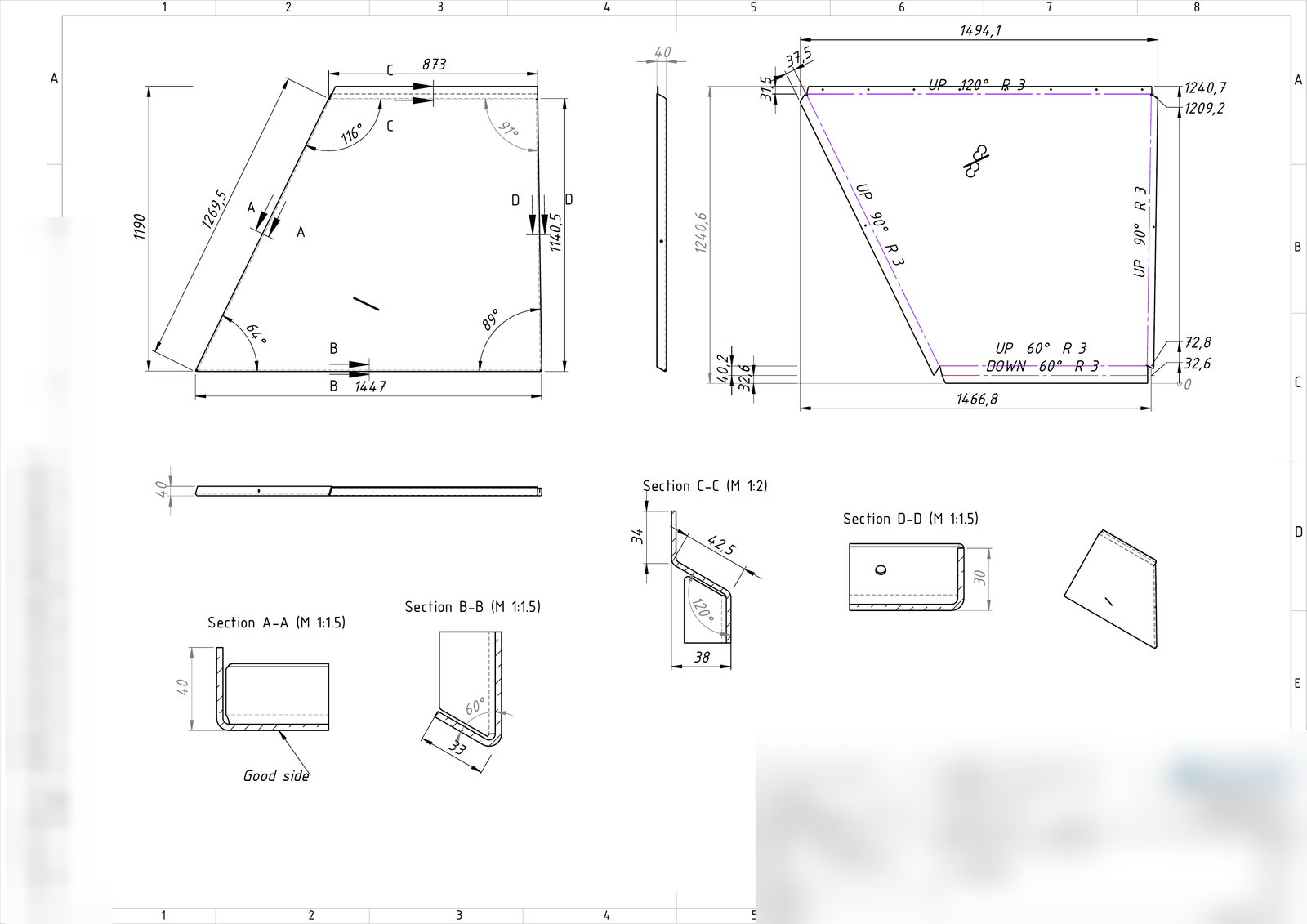
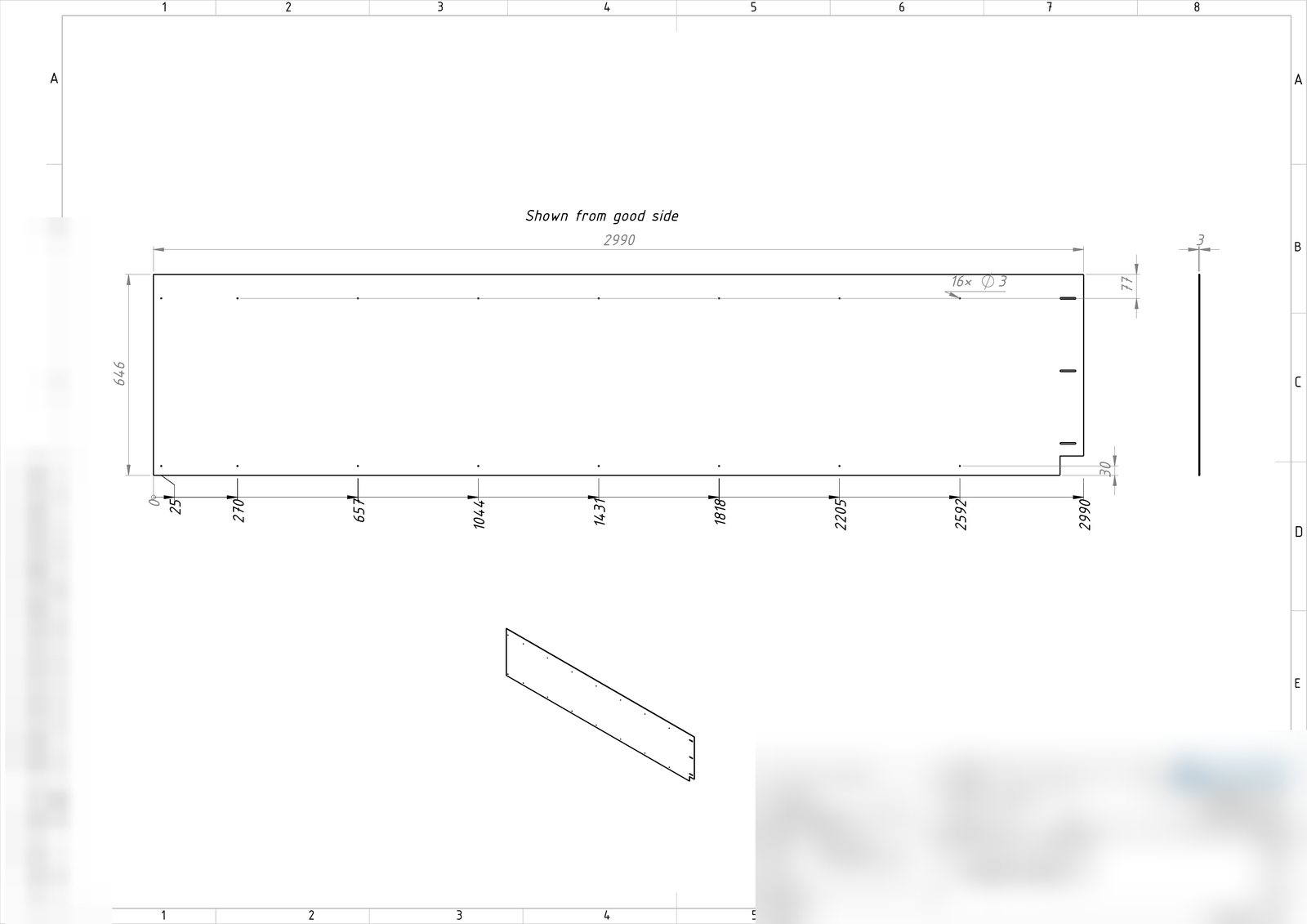
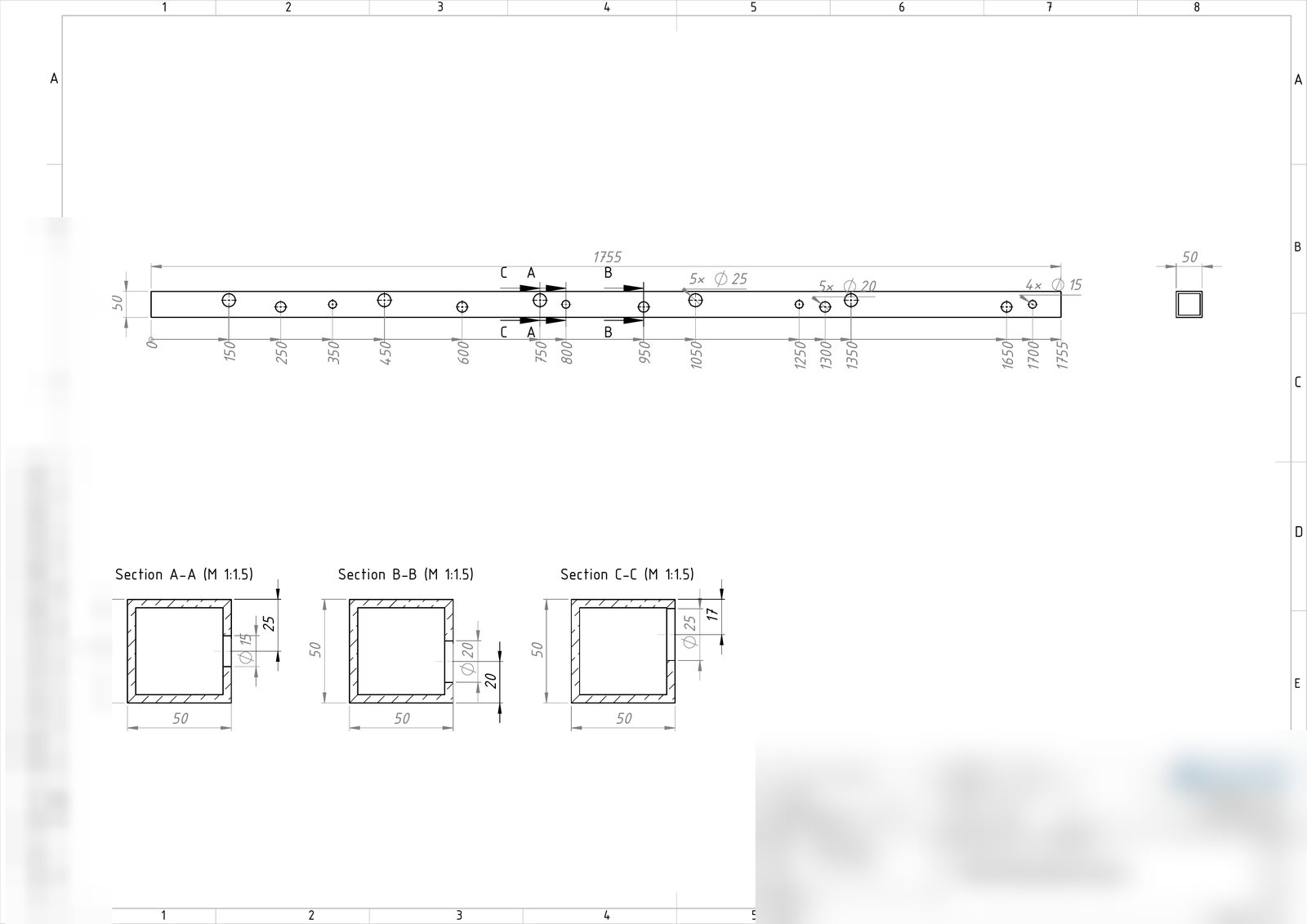
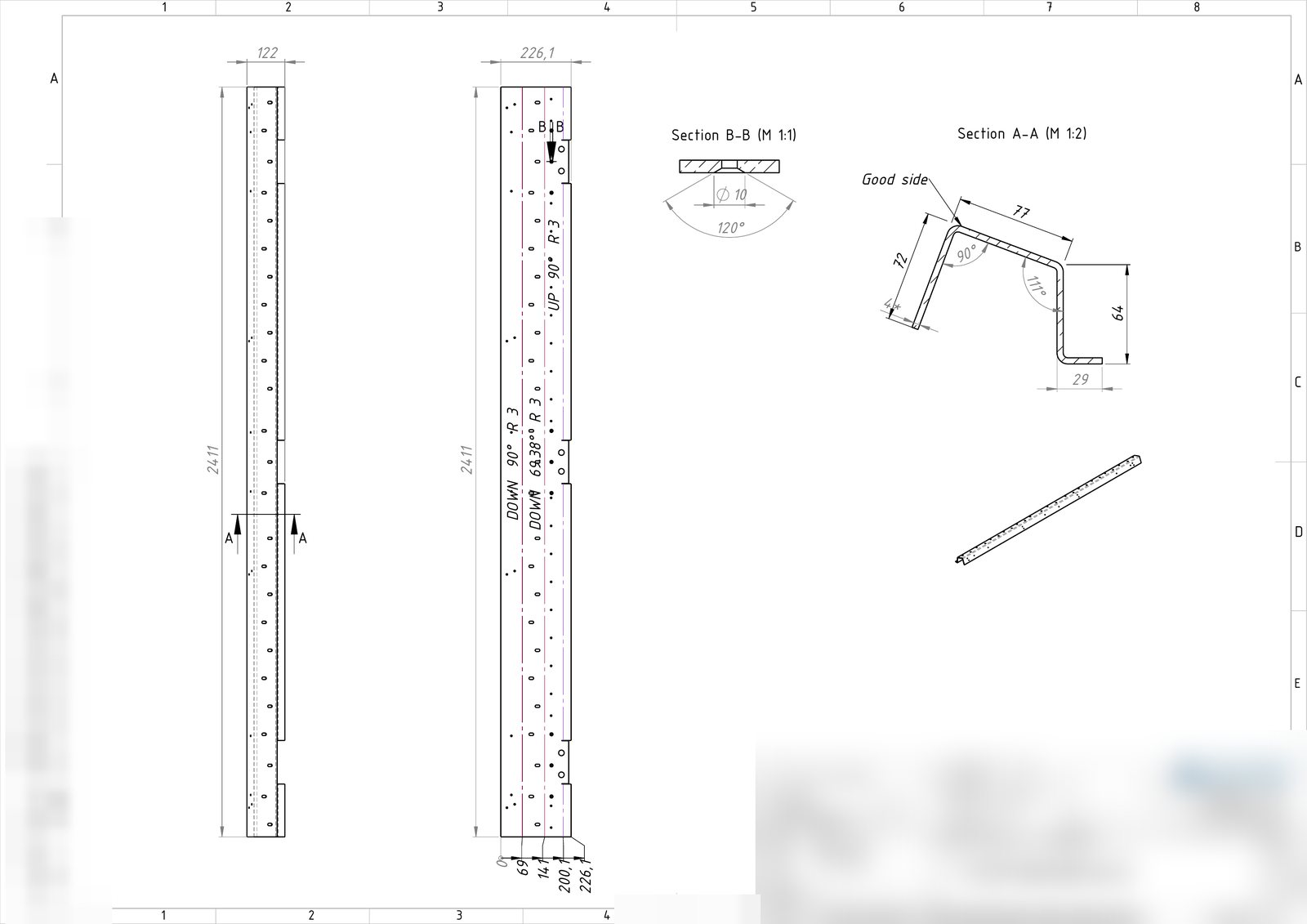
Actual output — flat patterns, sections and detail views generated automatically, no manual cleanup.
RKCorpTools is a SOLIDWORKS add-in that batch-creates fully dimensioned manufacturing drawings and PDFs for every part in a folder — drawing includes dimensioned flat pattern view for sheet metal parts, bend dimensions, sections, countersunk hole dimensions and detail views.
of detailing saved per week, per seat
typical payback time
per part instead of 5–15 minutes by hand
Not just placed views — complete, dimensioned drawings for parts that other tools couldn't compete.
Bend lines with ordinate dimensions from edge to edge, plus the overall size — ready to cut.
Automatic section views across the bends and holes, placed and scaled to fit the sheet.
A partial section through a countersunk hole with its angle and top diameter.
Small flanges get their own enlarged detail views so nothing is left unmeasured.
Point at a folder: every .SLDPRT gets a drawing and a PDF. Multiple configurations on same part go on separate sheets.
Uses your own A4 and A3 templates, so every drawing comes out in your house style.
Actual output — flat patterns, sections and detail views generated automatically, no manual cleanup.
Install, try it free for 7 days, then activate the computer you want to keep using.
Run the installer and start SOLIDWORKS — the RKCorpTools tab appears.
Full features for 7 days. Generate real drawings and see the output yourself.
Pick a plan and pay. At checkout you paste your Computer ID from the License… window.
Your key is emailed instantly. Paste it in License… → Activate. Done.
Prices exclude VAT. Every plan includes both tools and all features below.
Included in every plan: batch drawings & PDFs · flat patterns with bend dimensions · sections through bends and holes · countersunk hole dimensions · detail views · automatic A3/A4 sheet scale · multi-configuration sheets.
SOLIDWORKS 2026 on Windows 10/11 (64-bit).
Each license is tied to one computer. After the 7-day trial you enter your Computer ID (shown in the add-in's License… window) at checkout, and your key is emailed automatically. Keys can be permanent or time-limited.
Yes — RKCorpTools uses your own A4 and A3 templates with your title block. The add-in asks for them on first run and remembers them.
Contact us with the new Computer ID and we'll reissue your key.
Yes. The add-in runs with full features for 7 days, no account needed.
No. The tool is designed to assist, not replace human judgment. Always review and verify the results.
Enter your email and your download will begin right away. 7-day full trial, no account needed.
Download now We'll only use your email to send you the download link and occasional product updates. No spam.